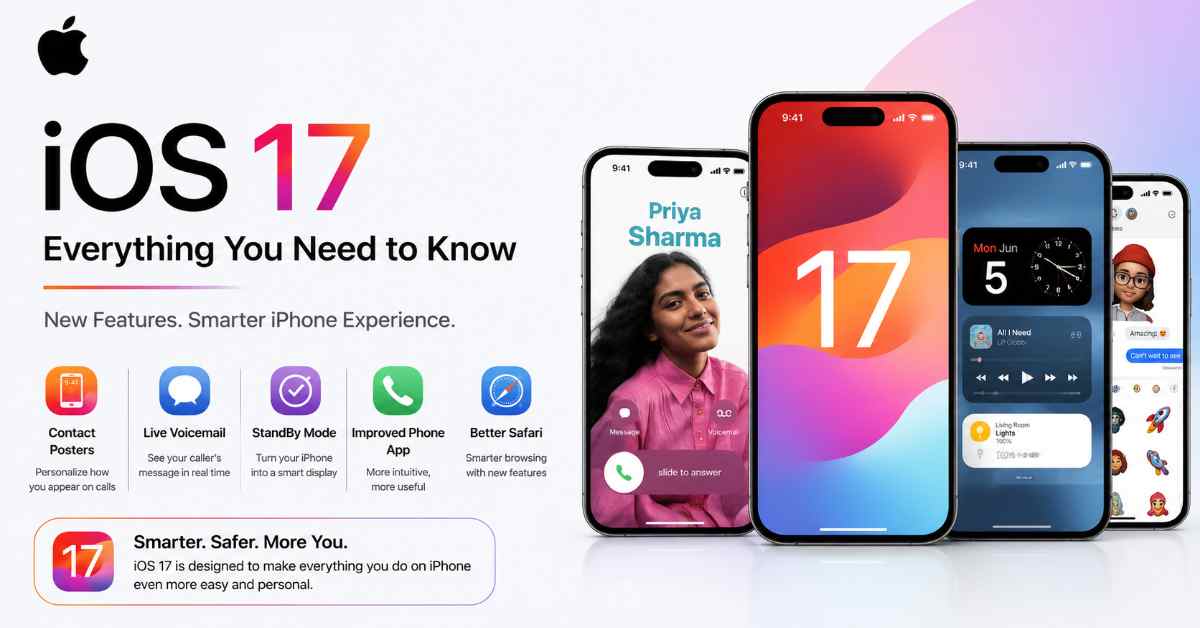
Apple just wrapped up WWDC 2026 and the biggest takeaway is this — iOS 27 is not just another incremental update. This one feels different. After last year’s Liquid Glass design overhaul with iOS 26, Apple has shifted its focus almost entirely toward making the iPhone genuinely smarter. The star of the show? A completely rebuilt Siri — and honestly, it’s about time.
Here’s everything you need to know about iOS 27, broken down clearly so you don’t have to wade through a dozen different articles.
When Is iOS 27 Coming?
Apple unveiled iOS 27 at WWDC 2026 on June 8, 2026. The developer beta is already live, and the public beta is expected sometime in late July. The official release will happen in September 2026, alongside the iPhone 18 lineup.
Based on Apple’s previous release patterns, the stable public release is expected around September 15, 2026.
So the timeline looks like this:
| Stage | Date |
|---|---|
| Developer Beta | June 9, 2026 (Already Live) |
| Public Beta | Late July 2026 |
| Stable Release | September 2026 |
Which iPhones Will Get iOS 27?
Good news here — Apple is being pretty generous with compatibility this time around.
iOS 27 supports iPhones back to the iPhone 11, so every iPhone that ran iOS 26 will also run iOS 27. Here’s the complete eligible device list:
Eligible Devices
- iPhone 18 Pro Max, iPhone 18 Pro, iPhone 18, iPhone 18 Air (will ship with iOS 27 pre-installed)
- iPhone 17 Pro Max, iPhone 17 Pro, iPhone 17, iPhone 17 Air
- iPhone 16 Pro Max, iPhone 16 Pro, iPhone 16, iPhone 16 Plus
- iPhone 15 Pro Max, iPhone 15 Pro, iPhone 15, iPhone 15 Plus
- iPhone 14 Pro Max, iPhone 14 Pro, iPhone 14, iPhone 14 Plus
- iPhone 13 Pro Max, iPhone 13 Pro, iPhone 13, iPhone 13 mini
- iPhone 12 Pro Max, iPhone 12 Pro, iPhone 12, iPhone 12 mini
- iPhone 11 Pro Max, iPhone 11 Pro, iPhone 11
- iPhone SE (3rd generation)
Devices That Won’t Get iOS 27
Apple is dropping support for iPhone XS and older devices with iOS 27. This means the following are out:
- iPhone XS, XS Max, XR
- iPhone X
- iPhone 8, iPhone 8 Plus
- iPhone 7 and older
- iPhone SE (1st and 2nd generation)
Note: Premium AI features like new Siri voices require iPhone 17 Pro or later. So while older iPhones like the 11 or 12 series will get the update, not every feature will be available on them.
What’s New in iOS 27? — Full Feature Breakdown
1. Siri AI — The Biggest Change in Years
This is the headline. Apple has completely rebuilt Siri with Apple Intelligence at its core. There’s now a dedicated Siri app where you can chat with Siri directly, reference past conversations, and interact in a much more natural way than ever before.
Siri AI can now draw on personal context from across your devices — pulling information from old photos, emails, notes, and messages to actually help you find what you’re looking for. It can also take actions inside apps like Messages, Music, and Reminders using natural language — so you can say something like “edit that message I just sent” or “add this song to my workout playlist” and it’ll just do it.
2. Visual Intelligence Gets Smarter
On iPhone, Siri AI’s capabilities now extend into the Camera app through a new Siri Mode. You can point your camera at something, ask Siri a question about it, and get an answer — all in real time.
Visual Intelligence is also getting smarter, gaining the ability to recognize things like nutrition labels and contact information.
3. Photos App — Major Upgrades
The Photos app gets some of its strongest updates in iOS 27. There’s a new Spatial Reframe tool that lets you change a photo’s perspective as if you moved the camera. Extend lets you generatively expand image borders or adjust aspect ratios. The Clean Up tool is better too — more realistic object removal with smarter background filling. Image Playground also gets photorealistic styles, better editing, and the ability to create custom Lock Screens and Contact Posters.
4. Smarter Apps Across the Board
Messages can now use Apple Intelligence to get context on conversations, suggest relevant actions, and even search for photos to send when someone requests one. Mail is getting smarter suggestions and the ability to take actions with third-party apps. Calendar can now create and edit events using natural language — or even from a screenshot of a schedule.
Passwords is gaining the ability to automatically update eligible accounts to strong passwords using Apple Intelligence and Safari, which logs into websites and changes your password on your behalf.
5. Dictation Gets a Real Upgrade
The next-level dictation in iOS 27 automatically adds punctuation, fixes capitalization, removes filler words, and formats text intelligently. And Shortcuts now accepts natural language prompts — so you don’t need to know how to build a shortcut to use one.
6. Liquid Glass Design — Toned Down
Liquid Glass was the defining visual change of iOS 26, but the reaction was mixed. Some users struggled to read text on the clear backgrounds, and it caused visual bugs. iOS 27 is finally addressing those complaints — Apple is introducing additional controls that let users dial back the intensity of the Liquid Glass effect, and is fixing the bugs that accumulated since iOS 26 launched.
7. Parental Controls — Finally Redesigned
iOS 27 brings redesigned Screen Time controls for better device management — a feature parents have been requesting improvements to for years.
8. Performance & Battery
Under the hood, iOS 27 brings optimizations that could make iOS run faster and use less battery life. Apple’s focus on on-device processing also means more of this AI work happens on your phone — which is better for both speed and privacy.
Will All Features Work on Older iPhones?
Not quite — and this is important to understand before you get too excited.
While iOS 27 supports iPhone 11 and newer, some Apple Intelligence and Siri AI features will only work on newer Apple Intelligence-enabled devices. Think of it this way — your iPhone 11 or 12 will get the update and many of the improvements, but the most advanced Siri AI features, the new Siri voices, and the deepest Apple Intelligence tools are reserved for newer hardware.
If you want the full iOS 27 experience with zero compromises, you’ll want to be on an iPhone 15 Pro or newer at minimum.
How to Get the Beta Right Now
If you’re a developer or just can’t wait until September, the iOS 27 developer beta is already available. The public beta is expected to arrive sometime between July and August 2026. To join when it drops, go to beta.apple.com, sign in with your Apple ID, and register your device.
The Bottom Line
iOS 27 is shaping up to be one of the more meaningful updates Apple has released in a few years — not because it’s reinventing the visual design again, but because Siri is finally becoming the assistant it was always supposed to be. If you’ve been frustrated with Siri for years, this update is worth paying attention to.
iOS 27 supports every iPhone that runs iOS 26, all the way back to the iPhone 11 series. The stable release is expected in September 2026 alongside the new iPhone models. If your phone is on the list, mark September on your calendar — this one is worth the upgrade.
Leave a Reply